
Block coding (also called block-based programming) lets kids build real programs by snapping together visual instructions instead of typing code. Within minutes, beginners can create animations, stories, and games, all without worrying about syntax errors or spelling mistakes.
By watching their code run on screen, kids learn sequencing, cause-and-effect, and debugging in a way that’s immediate and intuitive.
What are Coding “Blocks?”
Coding blocks are visual instructions that represent real pieces of code. Each block performs a specific action, like move a character, play a sound, or check a condition, with blocks only fitting together in valid ways.
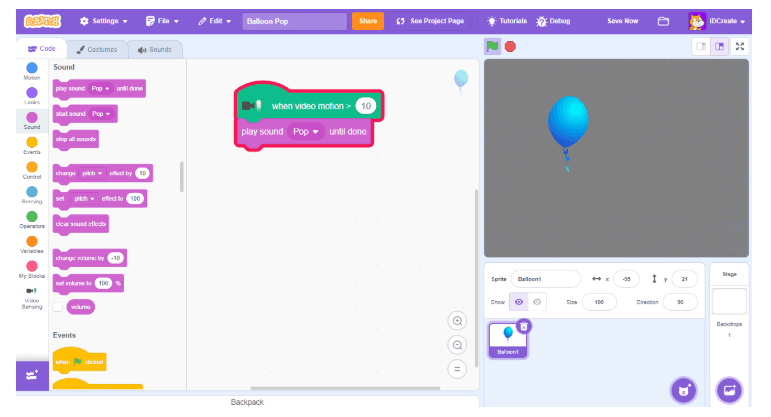
This structure removes common beginner frustrations and keeps the focus on logic and problem-solving rather than punctuation.
Block Coding vs. Text-Based: See the Difference
Understanding why block-based coding is easier for beginners becomes crystal clear when you see the same program written two different ways. Let's compare block-based code with text-based code (Python and JavaScript) using real examples.
Comparison 1: Move a Sprite Forward
Block-Based:

Text-Based (Python): sprite.move(10)
Why Blocks Win for Beginners: The block version is self-explanatory. You can instantly see "Move" and "10 steps" in plain language. The Python version requires understanding several abstract concepts: dot notation (the period), function syntax (parentheses), and parameter placement. A beginner might mistakenly write sprite.move 10 (missing parentheses) or move(sprite, 10) (wrong parameter order) and receive a cryptic error message. With blocks, there's only one way to fit them together—the correct way!
Comparison 2: Make a Sprite Say Something
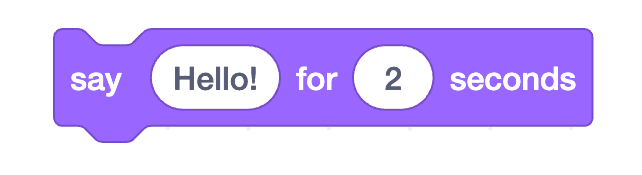
Block-Based:
Text-Based (JavaScript):
sprite.say("Hello!");
sprite.wait(2000);
Why Blocks Win for Beginners: Notice how the block version combines the action and duration into one visual unit? In JavaScript, beginners must understand two separate commands, timing in milliseconds (not seconds), quotation mark syntax, and semicolons. One missing semicolon or misplaced parenthesis breaks the entire program and generates an error. Blocks prevent these syntax errors entirely because the interface won't let you create invalid code.
Comparison 3: Repeat an Action Multiple Times
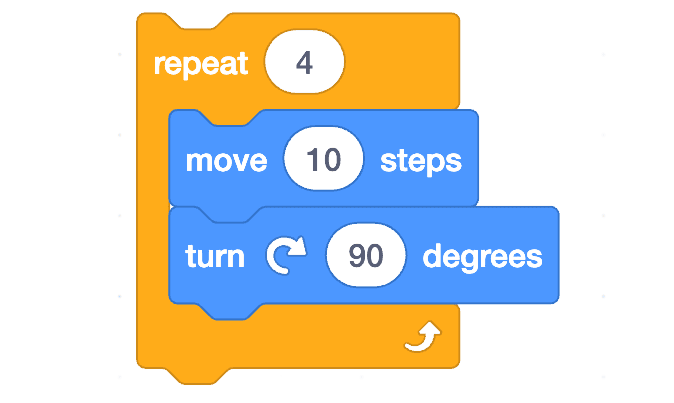
Block-Based (Scratch):
Text-Based (Python)
for i in range(4):
sprite.move(10)
sprite.turn(90)
Why Blocks Win for Beginners: The block version shows the loop structure visually—you can see exactly which blocks are "inside" the loop because they're nested and indented. In Python, beginners struggle with understanding indentation (why does spacing matter?), the range() function (what does that do?), the colon syntax, and the loop variable i (which they don't even use). The block version makes the logic transparent while the code version requires understanding multiple abstract concepts simultaneously before the program will even run.
The Three Barriers Coding Blocks Remove
This is why kids can build working games in minutes with block-based coding, while text-based coding requires weeks of foundational learning just to avoid error messages:
No Syntax Errors: Blocks only fit together in valid ways. You can't forget a semicolon, misplace a parenthesis, or misspell a command because the interface prevents it.
Visual Logic: You can see the program structure at a glance. Loops are visually nested, sequences are clearly ordered, and the flow of the program is obvious without needing to understand abstract syntax rules.
Immediate Feedback: Click "run" and see results instantly. When something doesn't work as expected, kids debug the logic (why did my sprite go the wrong direction?) rather than hunting for syntax errors (why is there a red squiggly line?).
Coding Blocks in Scratch
Scratch programming is block-based, and is one of the most popular options when it comes to kids coding languages. Blocks in Scratch are defined as:
Motion Blocks for Motion and Positioning
Used to control movement, telling sprites (Scratch images) to move and turn in relation to the sprite itself, other sprites, or a certain position.

With one single block, creators can tell a sprite to move forward 10 steps, or turn 15 degrees to the right.
Looks Blocks for Visual Changes and Dialogue
Used to change a sprite’s appearance, and can make a sprite say or think something, change costumes or backdrops, or even change the size or graphic effects of a sprite.

Creators can tell their sprite to display a text bubble and say “hello!” for a 2-second duration.
Sound Blocks for Audio and Effects
Used to add sounds to a story or game, or edit sound effects like pitch, and even change the volume of different sounds.

A sound block can be used to start playing a “meow” sound, and then another sound block can be used to stop all sounds.
Blocks provide a valuable learning experience, with kids quickly realizing that their programs will only do what they tell them to do, and will only run code in the order it was “written.”
What Kids Can Build with Block Coding
With block-based coding in a program like Scratch, kids can let their imaginations run wild, creating any number of sprites, and bringing those creations to life with animation and storytelling.
For example, in Scratch, kids can make:
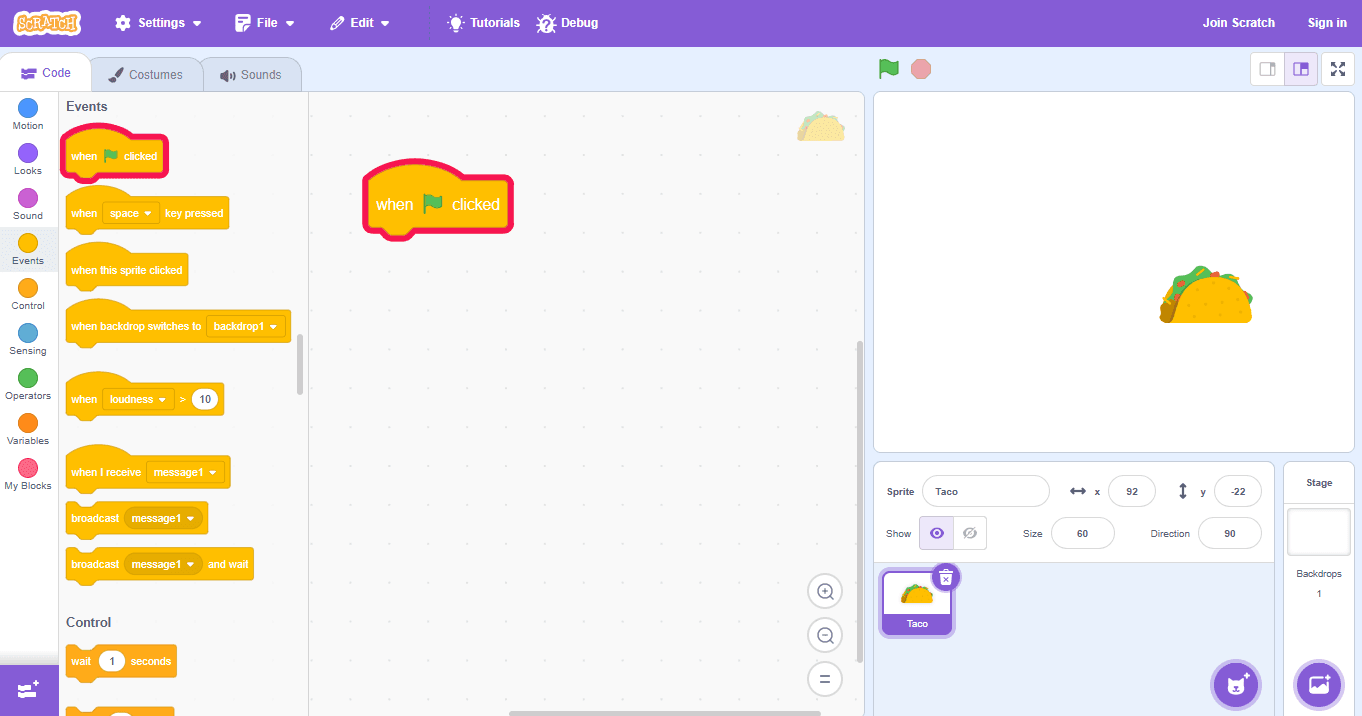
Clicker Games
In clicker games, a player must click sprites, like balloons, in order to earn points. And as each balloon is clicked, a new one of a different color pops up in a different part of the screen. In addition to motion, looks, and sounds blokcs, key block components in a clicker game include clone blocks to create the many sprites that appear on the screen over time.
Chase Games
Chase games allow players to control a character who is “chasing” another character or object. For example, it can be an octopus trying to catch a fish swimming around randomly across the screen. Sensing blocks play a big part in chase games in order to check things like how far enemies are from the player.
Pong Games
Just as the name suggests, pong games include the classic setup of a mouse-controlled paddle that is moved back and forth in an attempt to keep the bouncing ball from touching the ground. Learn how to create a Pong game with Scratch coding.
Make it Fly Games
For a different adventure, make it fly games ask the player to use up and down arrows to control their sprite, which might be a bird who can move up and down to catch a bug scurrying across the screen.
Adventure games
Adventure games are a bit more advanced, and are built to have players collect objects as they progress through multiple game levels on different backgrounds.
Popular Block Coding Tools for Kids
Block coding lets kids create games, animations, and interactive stories without typing text-based code. Here’s a list of popular tools, the ages they’re suited for, and what your child can build with them:
| Tool | Best For | Typical Ages | What Kids Can Build | Notable Strength |
|---|---|---|---|---|
| Scratch | First-time coders | 8–16 | Games, animations, interactive stories | Large community and strong foundation for core CS concepts |
| ScratchJr | Early elementary beginners | 5–7 | Simple animations and stories | Designed specifically for pre-readers |
| Blockly | Learning core programming logic | 7+ | Puzzles and logic-based programs | Blocks map directly to real code syntax |
| Code.org | Structured learning paths | 6–14 | Short games and guided projects | Curriculum-aligned lessons and tutorials |
| Tynker | Game-based learning | 7–14 | Games, mods, animations | Strong progression toward text-based coding |
| MakeCode (Microsoft) | Games and hardware integration | 8+ | Games, microcontroller projects | Easy switch between blocks and JavaScript |
| LEGO SPIKE / WeDo | Hands-on robotics | 6–12 | Robotic builds and challenges | Physical computing with visual coding |
| Swift Playgrounds | Transition to real-world languages | 10+ | Interactive puzzles and apps | Introduces concepts used in professional app development |
Additional learning
One cool thing that block-based coding allows for is a more tangible coding experience for young learners. For students ready to jump into block-based coding right now, they can do so with a one-on-one instructor in our online coding courses, or with a small group of other students for the added socialization benefit with our Virtual Tech Camps.