
Parents, can we be honest with each other? When your kid says they want to learn to code, your first instinct might be to panic. I know mine was. Which coding language should they learn? Will it be too hard? Is there even a "best" one?
The good news? There's no single "right" answer, and that's actually what makes coding education so exciting right now. The best programming language for your child depends on their age, interests, and what they actually want to create.
Learning to code has never been more accessible, or more fun. Whether your child dreams of building the next viral Roblox game, creating websites, or diving into artificial intelligence, there's a coding language perfectly suited to their goals.
"School was stressful for my kids, but ID Tech camps were not. My two boys learned a ton, but had so much fun in the process that it wasn't stressful. Each year, it felt like we were coming up for air as school transitioned to camp. The boys discovered what they loved to do and learned to work with others too. They gained skills and confidence." -Kathy M., Parent
In this guide, we'll break down the top programming languages for kids in 2026, help you understand what makes each one special, and show you exactly how to choose the right starting point for your child.
Quick reference table:
| Child’s Goal | Best Language |
|---|---|
| First coding experience | Scratch |
| Build a Roblox game | Lua |
| Make a website | JavaScript |
| Mod Minecraft | Java |
| 3D game design | C# |
| Explore AI or data science | Python |
| Serious CS prep (AP or college-level) | C++ |
1. Scratch & Visual Programming Languages: The Perfect Starting Point for Absolute Beginners
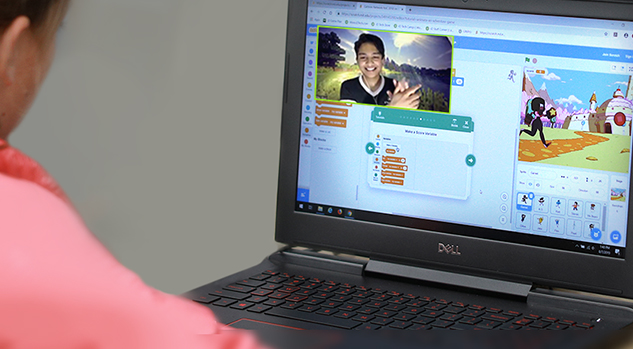
If your child has never coded before, Scratch is the ideal launchpad. By snapping together colorful "drag-and-drop" blocks of code, kids can bring games, animations, and stories to life.
Want to make a character jump? Snap a block. Want to create a loop? Snap another block. It's intuitive, visual, and, most importantly, it removes the frustration of syntax errors that can derail beginners.

Best of all, the simplicity of Scratch gets kids excited about coding! Visual programming languages can be used to make interactive stories, games, and animations.
Why Visual Programming Works for Kids
The beauty of visual programming is that it teaches actual programming logic without the intimidation factor. Kids learn sequencing, loops, conditionals, and debugging. These are all the fundamental concepts they'd encounter in "real" programming languages, but in a way that feels like play rather than work.
As a parent from one of our online programs put it, "My child got hooked on it. She continued on Scratch for another 30 minutes after class. It was fun and engaging."
So, visual programming languages also work brilliantly for different learning styles. Visual learners thrive with the block-based interface. Kinesthetic learners enjoy the tactile experience of dragging and dropping. Even kids who struggle with reading can grasp programming concepts because the blocks are self-explanatory.
In 2026, Scratch is still the gold standard for beginners, but it’s not the only visual coding tool out there. Kids also love platforms like Tynker (great for Minecraft modding) and Microsoft MakeCode (awesome for coding hardware like micro:bits).
Scraatch is best for:
- Ages 7-10 (though older kids benefit too)
- Visual learners
- First-time coders
- Kids who want immediate, creative result
Key features of Scratch:
- Snap together graphical programming blocks
- Make characters move, jump, dance, and sing
- Create interactive stories and animations
- Develop problem-solving and creative expression
- Free to use with no account required
Read more: How to Make a Scratch Game
Related courses:
- Scratch Tutoring (ages 7-9)
- Coding 101 Camp (ages 7-9)
2. Python: The Gateway to "Real" Programming
Python’s popularity just keeps growing, and for good reason—it’s beginner-friendly, yet powerful enough for AI, data science, game development, and more. Python's clean syntax makes it one of the easiest text-based languages to read and write.

Companies like Google, Netflix, and Disney use Python, and it’s very popular in scientific fields, where individuals are scientists first and programmers second. This language can be used to develop video games, web frameworks, and many scientific and numeric computing projects.
Why Python Is Perfect for the Next Level
Python programming is great for kids, and is also versatile enough to be used in intricate fields like cybersecurity and artificial intelligence. Now that’s a flexible and powerful language! Python is also the language behind many AI and automation tools, which means kids who learn Python today will be ahead of the curve for tomorrow’s tech careers.
What Can Kids Build With Python?
The possibilities are genuinely expansive. Kids can create:
- Text-based games and interactive stories
- Data visualization projects
- Web applications
- Machine learning projects
- Automation scripts
- Game engines (using libraries like Pygame)
Python is best for:
- Ages 10+
- Kids transitioning from visual programming
- Future data scientists, AI enthusiasts, and web developers
- Children who want to build "real" projects
Read more: Easy Games to Make in Python
Key features of Python:
- Clean, readable syntax that's easy to learn
- Massive community and countless learning resources
- Powerful libraries for game development, data science, and web development
- Used in professional settings (increases motivation)
- Free and open-source
Featured courses:
- Python Tutoring
- Machine Learning Tutoring
- Python Coding 101 (ages 10-12)
- Python Camp: Intro to Coding & AI (ages 13-17)
- Machine Learning & Data Science Academy with Python (ages 13-18)
The Transition Challenge
One thing to note: moving from Scratch to Python can feel like a jump. Suddenly, kids need to type code, remember syntax, and deal with error messages.
This is completely normal and actually a valuable learning experience. The key is choosing projects that excite them enough to push through the initial frustration
Here is a success story for some motivation.
"My son has participated in a few summer camps in the past with other organizations, including those focused on Minecraft and Roblox, but this time we chose a more structured Python coding course with iD Tech. While the material may have been a bit challenging for complete beginners, the instructors provided a solid framework that helped him stay on track."
(And now that you've read about the two languages, check out the comparison of Scratch vs. Python.)
3. JavaScript: Building Interactive Websites and Games
JavaScript powers much of the interactive content on the web, and it’s a great choice for kids interested in web development or browser-based games. With frameworks like p5.js, kids can create interactive art, while basic game engines like Phaser make it easy to design web games.

Tweens and teens love using JavaScript with HTML/CSS to build personal websites, design games, and show off their creativity online.
Why JavaScript Matters for Kids
JavaScript has a lower barrier to entry than you might think. Kids can see results immediately: change some code, refresh the browser, and boom—something visible has changed. That instant feedback is incredibly motivating.
Plus, JavaScript opens doors to game development frameworks like Phaser and Babylon.js, which let kids create browser-based games without needing to learn complex game engines first.
JavaScript is best for:
- Ages 10+
- Future web developers and game designers
- Kids who love creative design
- Children who want to see immediate visual results
Read More: Python vs. JavaScript
Key JavaScript features:
- Runs in web browsers (no special software needed)
- Immediate visual feedback
- Powers interactive websites and web applications
- Gateway to advanced game development
- Essential skill for modern web development
Learning Path
Many kids find JavaScript easier to learn after Python, since they've already grasped programming fundamentals. The syntax is a bit more complex than Python, but the concepts are familiar.
Featured courses and lessons:
- Javascript Tutoring (ages 10-19)
- Hacking with JavaScript (ages 10-19)
- JavaScript Coding & Game Design (ages 11-16)
4. Lua (for Roblox): The Language of Game Developers
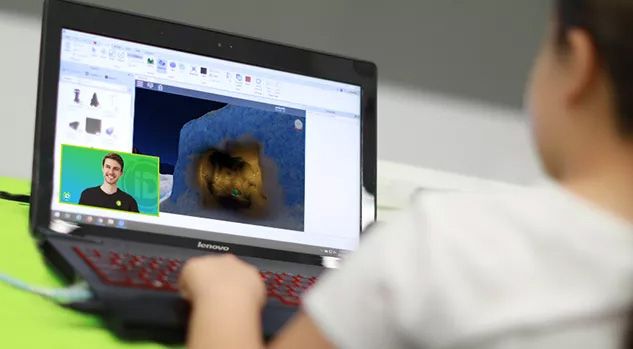
Here's a language that often gets overlooked in "best languages for kids" lists, but absolutely shouldn't be: Lua. If your child is obsessed with Roblox, Lua is the language they need to learn.
Roblox has become a cultural phenomenon among kids—it's a platform where users can create and play games made by other users. And the games are created with Lua.
This means your child isn't just learning an abstract language; they're learning a tool they can use immediately to create games they actually want to play.
Is Lua easy to learn?
Lua has a short learning curve (similar to Python), ease of embedding, and rapid execution. The number of developers using Lua is steadily increasing, which means it's a skill with real career potential. Adobe Photoshop, World of Warcraft, and Angry Birds all use Lua code.
But here's the real magic...
If your child is already playing Roblox, learning Lua transforms them from a consumer to a creator. Suddenly, they're not just playing games, they're building them.
"First, his passion for game developing requires that he learns how to code within Roblox Studio / Lua. I’m a data scientist by profession and I’m blown away by the code that he has learned how to write, and he’s only 10." Read more.
Lua is best for:
- Ages 8+
- Aspiring game developers
- Roblox enthusiasts
- Kids who want to create games for a platform they already love
Read more: How to make an Obby in Roblox!
Key features of Lua:
- Simple syntax, quick to learn
- Powers Roblox game development
- Used in professional game engines
- Active community of young developers
- Immediate creative outlet
The motivation factor here cannot be overstated. A child who's struggling to stay interested in abstract programming concepts will suddenly become laser-focused when they realize they can build a Roblox game.
Featured courses:
- Roblox Game Design: Make Your Own Obby (ages 7-9)
- Roblox Developer: Lua Coding and Game Design (ages 10-12)
- Roblox and Lua Coding
5. C# and Unity: Gateway to Professional Game Development
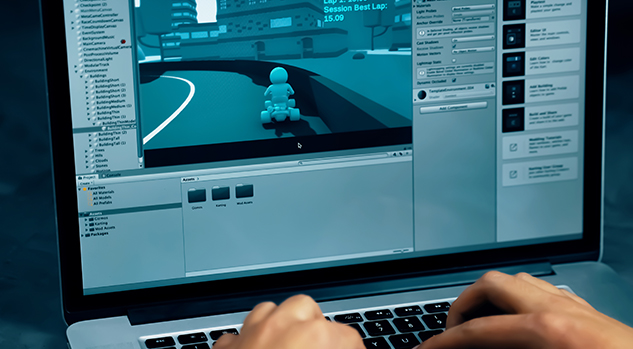
If your child is serious about game development, and not just casual games, but real, polished games, C# and Unity are the industry standard. Unity powers everything from indie games on Steam to major mobile games.
C# (pronounced "see sharp") is an extremely popular programming language used to develop most third-party applications for Windows. It's an in-demand programming language for jobs, and it's actually a great starting language for people new to coding.
Why C# and Unity Matter
Syntactically, C# is very similar to Java, so experience with one makes it easier to pick up the other. More importantly, C# is the language that powers Unity, which is the most accessible professional game engine available.
With Unity, kids aren't limited to 2D browser games. They can create:
- 3D games
- Virtual reality (VR) experiences
- Augmented reality (AR) applications
- Mobile games
- Console games
C++ is best for:
- Ages 12+
- Serious game developers
- Kids interested in VR/AR
- Children who want to create professional-quality games
Key features of C++:
- Powers Unity game engine
- Used in professional game development
- Supports 2D and 3D game creation
- Active indie game community
- Career-relevant skills
The Learning Curve
C# is more complex than Python or Lua, but the payoff is significant. Kids who master C# and Unity are learning a language, but they're also learning tools used by professional game studios.
Featured courses:
- Unity with C# Tutoring (ages 13-19)
- VR Game Design with Unity and Meta Quest (ages 13-17)
6. Java: For More Serious Programmers
Java is one of the most widely used programming languages in the world, with analysts saying that about 90 percent of Fortune 500 companies leverage Java. So it’s a great option for students who want a rich understanding of coding that can be built upon for years to come.

Java is a statically typed language, meaning it requires you to specify a variable type. While this means that apps built with Java are known to be more scalable, stable, and maintainable, it also means that Java can take longer to master than other languages.
Java is good for kids because it can be used to make game engines, Android mobile apps, large backend environments, and much more. Java is also the language used in AP Computer Science A, so Minecraft modding is actually an amazing way to start building skills for future classes.
Even if your child moves beyond Minecraft, the skills they gain in Java will help them with app development, backend programming, and college-level coding courses.
Best for:
- Ages 13+
- Aspiring software engineers
- Kids interested in Android development
Read more: How to Practice Java Online
Featured courses:
- Java Camp: Intro to Computer Science (ages 13-17)
- Java Coding: Build Mods with Minecraft (ages 10-12)
- Computer Science with Java (ages 13-19)
- Java Camp: Intro to Computer Science (ages 13-17)
- Java Tutoring (ages 10-19)
7. C++: For the Ambitious
Pronounced "see plus plus," C++ is used to create applications that run locally on machines. It's powerful, efficient, and notoriously difficult to learn. C++ is the language of competitive programming, game engines (like Unreal Engine), and high-performance applications.
We're not going to sugarcoat it: C++ is hard. But for teens who are genuinely passionate about computer science and willing to invest serious time, it's incredibly rewarding.
C++ is best for:
- Ages 14+
- Teens serious about computer science
- Competitive programmers
- Aspiring game engine developers
Read more: C++ for Kids & Teens
Featured courses:
- Game Coding Academy with C++ (ages 13-18)
- C++ Tutoring Online Private Tutoring (ages 10-19)
Give your child a coding edge!
There are numerous reasons why kids and teens should learn to code. Improve your child's computational thinking skills, creativity, and if-then reasoning with a week of programming instruction at an iD Tech program. There are a wide range of summer programming courses for kids and teens ages 7–18 (and online coding courses for kids and teens), spanning many coding languages.
Every one of these languages will help students better understand programming principles and get excited about coding. For more help selecting a course, you can reach out to our Camp Specialists. They love helping families like yours every day!
Not sure where to start? Take our quick Course Finder Quiz and we’ll recommend the perfect class based on your child’s age, interests, and experience. Or, chat with a friendly iD Tech Specialist—we’re here to help every step of the way.


