As a parent, you know your child needs to grow comfortable with computers. The challenge is figuring out how to start. Teaching those skills at home can feel overwhelming, and many schools haven’t built in opportunities that gently introduce kids to the digital world.
That often leaves families stuck between wanting to support their child’s growth and not knowing where to begin.
Computer classes can bridge that gap, but they don’t all look the same. Some are self-led, point-and-click experiences that let kids explore at their own pace with minimal guidance. Others are instructor-led, offering structure, real-time feedback, and a supportive environment where questions are encouraged and progress is guided.
In this post, you’ll get a clear breakdown of computer classes (and computer science classes), including how each format supports different learning priorities and levels of experience. The goal is to help you choose an option that truly aligns with your child’s needs, personality, and long-term development.
(And while we don't mention specific typing courses, you can check out these many typing apps for kids.)
Computer Classes for Kids
Moving from basic to more challenging, here are 11 great computer classes for you to consider for your kids.
| Course | Skills Learned | Example Careers |
|---|---|---|
| Photoshop | Digital drawing, photo editing, design fundamentals | Digital Artist, Photographer, Graphic Designer, Marketer |
| Graphic Design with Adobe Illustrator | Vector art creation, scalable design, web design | Graphic Designer, Web Designer, Brand Designer, Marketing Designer |
| Scratch | Computational thinking, drag-and-drop coding, animation | Software Developer, Game Designer, Creative Technologist |
| Intro to 3D Game Design | Game mechanics, 3D design, game engines, world-building | Game Designer, Game Developer, 3D Artist, Level Designer |
| Minecraft Game Design | Building, design planning, redstone circuits, command blocks | Game Designer, Level Designer, Architect, Engineer |
| General Computer Science | Variables, functions, algorithms, data structures, object-oriented programming | Software Engineer, Computer Scientist, Developer, Systems Architect |
| HTML for Web Design | HTML structure, web content development, image/text editing | Web Designer, Web Developer, Front-End Developer, Content Creator |
| Python | Variables, strings, algorithms, user input, game development | Software Developer, Data Scientist, Machine Learning Engineer, Game Developer |
| Java | Text-based coding, arrays, functions, object-oriented programming, algorithm design | Software Engineer, App Developer, Enterprise Developer, Computer Scientist |
| Hacking with JavaScript | JavaScript fundamentals, loops, functions, conditional statements, problem-solving | Web Developer, Cybersecurity Specialist, Software Developer, Security Engineer |
| MIT App Inventor | App development, variables, loops, event-driven design, computational thinking | App Developer, Mobile Developer, Software Engineer, Tech Entrepreneur |
1. Photoshop (Ages 7-19)

Adobe Photoshop is the industry-standard software for photo editing and manipulation, making it an essential tool for anyone who might interested in digital art, photography, or graphic design (or even marketing and entrepreneurship).
A Photoshop course will teach the fundamentals of digital drawing and design, as well as how to use this professional software to edit photos and create new artwork. By the end of the course, kids could have the skills to develop a digital portfolio showcasing their work and newfound creative abilities.
What Parents Say:
"Cash truly enjoyed his ID Tech camp experience and learned a lot in a short amount of time. I was so impressed with the editing he was able to do on adobe premier pro and Photo Shop after only a couple classes. Money Well Spent!"
2. Graphic Design with Adobe Illustrator (Ages 7-19)

Speaking of graphic design, communicating information and meaning through art is impactful. Adobe Illustrator, the worldwide standard in vector art creation, allows kid designers to take their skills to the next level.
By crafting scalable work that can be mathematically increased or decreased in size, designers can save time and focus on what matters—their art and message. This is especially important when designing for web or other digital media, where screen sizes vary.
With Adobe Illustrator, kids can develop more efficiently, creating images that look just as good no matter what device they are viewed on.
What Parents Say about Graphic Design:
"Some parents are confused that computer gaming is a major. I explain it saying gaming is the hook. What the students are learning is graphic design, coding, the physics of motion, augmented reality, virtual reality, neural networks, lighting, sound, and so much more. These skills can be implemented in any industry."
3. Scratch (Ages 7-19)

Moving from creativity toward logical thinking, a Scratch coding class is the perfect introductory platform for kids to dive into programming.
Developed by MIT Media Lab, Scratch provides a drag-and-drop creative learning environment for your child to experiment with code blocks and characters (sprites), and build animated stories and games.
Through designing and animating - and using arithmetic operators - your child will gain a strong base in computational thinking, and build confidence in their creative abilities.
What Parents Say about Scratch:
"From the initial sign up, to the online sessions, to the summer camp, iD Tech did an amazing job. They were very patient with my son who was brand new to coding with anything beyond Scratch. Now he's working on his own game and able to publish it on multiple platforms. At each stage we were given plenty of instructions on what to expect and how to prepare. They were also easy to contact when we needed to update the date of our summer camp." -Peter on Trustpilot, 2025
4. Intro to 3D Game Design (Ages 7-19)

If your child is interested in moving beyond just playing video games and into designing them, an intro to 3D game design class may be the perfect fit.
With the help of industry-standard tools, kids can learn how to design game mechanics, explore 3D game design, and bring their ideas to life.
By starting with a game engine, they can create immersive worlds and levels that they can get lost in for hours.
What Parents Say About Game Design:
"It has taken us many years to find a technology education that can challenge our son. ID tech and his mentor/teacher gives Nick the opportunity to experience what complex video game design looks like in the real world. -Trustpilot Review, October 2025
5. Minecraft Game Design (Ages 7-19)

Minecraft is a beloved game among kids, and an opportunity to learn and have fun at the same time! With Minecraft classes, your child can learn to build and design their own creations in this digital world.
They can create elaborate redstone circuits and machines, utilize command blocks to enhance maps, and develop planning and design skills that will serve them well in many areas.
What Parents Say About Minecraft Game Design:
"Our son Matthew attended IDtechs Game Design with Minecraft program for a week and It was everything and more! He truly enjoyed the experience, learned a great deal and most important got the chance to interact with other children his age with the same passion. The instructor for the class Anna was very thoughtful and provided great feedback to us. We loved the diploma ceremony and showcase! We look forward to his next challenge with IDTech." -Jimmy on Trustpilot, 2025
6. General Computer Science (Ages 10-19)

Moving even deeper, general computer science classes can help your child build an interest in coding and explore a range of topics in the field.
In these classes, your child can solidify their understanding of fundamental concepts such as variables, if statements, and functions. They can also work with different algorithms and data structures to gain experience with more advanced concepts.
These classes can also introduce your child to object-oriented programming, an important paradigm in modern programming languages. By exploring a variety of topics in computer science, your child can develop a diverse skill set and prepare themselves for a wide range of opportunities in the field.
What Parents Say About Computer Science:
"His tutor allows for him to be creative, develop his own vision and problem solve when his project requires him to do so. These private lessons supplement his technology, computer science and AI classes that he takes at school in ways that have allowed him to grow holistically in the technology field. Thank you ID tech for employing talented staff who are able to pass on their knowledge to this next generation." -Trustpilot Review, October 2025
7. HTML for Web Design (Ages 7-19)

Back to design, but with a bit of coding as well! If your child is interested in web design, a class in HTML can prove to be fruitful.
HTML is the structure that holds everything else in a website, and by learning HTML, your child can develop static web content and focus on putting content first.
In these classes, your child can learn to edit tags, work with images and text, and develop a design that prioritizes content.
By focusing on these fundamentals, your child can create a website that communicates their message effectively and ensures that their content speaks for itself. Not to mention that with a strong foundation in HTML, your child can then go on to learn more advanced concepts like JavaScript and CSS styling.
8. Python (Ages 7-19)
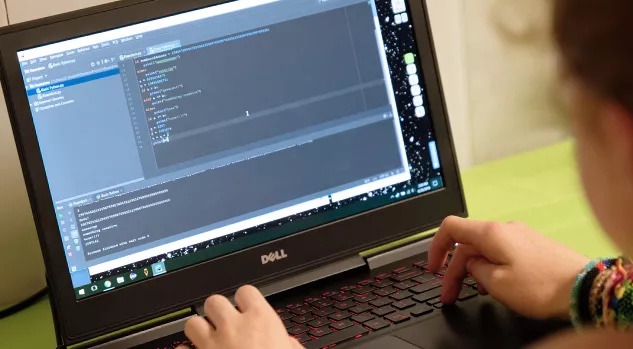
Python is a versatile programming language that is great for kids and can be used to create a wide range of applications, from arcade-style games to advanced machine learning models.
One of the benefits of Python is its clear syntax, which makes it easy to write and debug code. Whether your child is just starting out or is learning more advanced algorithms, Python can be a great choice for building their skills.
In these classes, kids can learn how to declare, initialize, and use variables, work with strings, characters, and algorithms, and read and respond to user input.
What Parents Say About Python:
"Above expectations. My son took a Python class, and he was an absolute beginner. Within a week, he built a rather complex shooter game. Quite impressive." -Trustpilot Review, 2025
9. Java (Ages 13-17)

Java is one of the world’s most influential and enduring programming languages, making it a fantastic option for kids ready to dive deeper into text-based coding. In a Java class, students will learn how to write, test, and troubleshoot their own programs—starting with the fundamentals and building up to more advanced concepts like arrays, functions, and object-oriented programming.
Throughout the course, kids can tackle fun, logic-based challenges like designing a password checker, building a text-based adventure, or coding a computer vs. player Tic Tac Toe game. Along the way, they’ll practice algorithm design and learn how to handle input errors so their programs run smoothly.
By the end of the class, students will have a solid understanding of Java, along with a portfolio of projects they can show off to friends, family, and even future colleges. Plus, since Java powers apps, websites, and AP Computer Science exams alike, these skills will serve as a strong foundation for future learning.
What Parents Say About Java:
"Great instruction on Java while also mixing in a variety of other experiences to help promote social interaction. Each day was well-rounded with computer work, outside/physical activities, and collaborating with peers. I would recommend this camp!" -Gretchen, Trustpilot Review
10. Hacking with JavaScript (Ages 7-19)

Hacking isn’t just about breaking into systems—it’s about breaking through barriers, solving puzzles, and discovering more efficient ways to use technology. In this class, kids will dive into the world of JavaScript, one of the most widely-used programming languages on the web.
With a "hacker mindset," students will learn how to write code that tests systems, manipulates data, and solves problems creatively—skills that are invaluable in fields like cybersecurity, software development, and beyond. Through hands-on exercises and logic challenges, they’ll build a strong foundation in JavaScript while exploring essential concepts like loops, functions, and conditional statements.
This 1-on-1 learning experience is tailored to your child’s skill level and interests. With the guidance of a live instructor and personalized feedback after each session, kids can work at their own pace and see their coding confidence skyrocket.
What Parents Say about JavaScript:
"My son has thoroughly enjoyed the Coding and Engineering 101 with Javascript camp this week! The instructors have been great! They are teaching at a great speed, answering all questions and really teaching rather than just showing how to do it and stopping there. They have been very fun and friendly, also. We will definitely be back next year!" -Truspilot Review, 2022
11. MIT App Inventor (Ages 13-17)

If your child has ever had an idea for an app that could make life easier, safer, or just more fun, then a class in MIT App Inventor might be the perfect fit. This course introduces kids to app development with an intuitive, block-based coding platform that turns their ideas into functioning mobile applications—no prior coding experience required.
Students will start by building simple apps while learning key programming concepts like variables, loops, and event-driven design. As the week progresses, they'll take on more complex projects, like creating a messaging app or designing a tool to solve a real-world problem in their community.
Plus, kids will also learn to think critically about how apps can make a positive impact. By the end of the course, they’ll walk away with their own mobile app, plus a deeper understanding of computational thinking and the creative potential of technology.
What Parents Say:
"Wow! Our family cannot thank you enough! My 14 year old son, Jack W., had the time of his life at your MIT app developer program. He came back home from Boston and said, “That was the best camp experience I’ve had in my entire life!” He was proud of what he had created, he was proud of his tech diploma and best of all, he was proud of himself! I was really impressed, as a parent and a teacher by the level of detailed feedback that we got back by the instructor about Jack’s strengths in class."
Moving Forward
Computer training can come in a number of forms, as shown above—and that includes the format, time of year, etc. From after school classes to coding camps, and more, kids can familiarize themselves with the machine that could very much be the base of their professional lives for years to come.


