
Whether you're building a gaming rig or just curious about what's inside your PC, understanding the basic parts of a computer is a great first step. Every computer system (desktop or laptop) is built around the same core components of a computer working together.
In this guide, we'll walk through the five main parts of a computer system, explain what each one does, and cover the computer parts names you'll hear most often. By the end, you'll have a solid grasp of the physical parts of a computer and how they all connect.
Let's start with some quick info.
Frequently Asked Questions
What are the main parts of a computer?
The five core components of a computer are the motherboard, CPU, GPU, RAM, and storage (SSD or HDD). Together, these make up the essential parts of a computer system.
What are the physical parts of a computer called?
The physical, tangible hardware (basically everything you can touch) is called hardware. Common computer parts names include the motherboard, processor, graphics card, memory sticks, and hard drive or SSD.
What is the computer "box" called?
The outer shell housing all the internal components is called the case or chassis. Inside the case is where all the main parts of a computer are mounted and connected.
What is inside a computer?
Inside a typical desktop you'll find the motherboard, CPU, GPU, RAM, one or more storage drives, a power supply unit (PSU), and cooling fans or heat sinks.
What is a computer, technically?
A computer is any machine that can be programmed to carry out a set of algorithms and arithmetic instructions. Of course, the computers we think of today are so much more than that—and I’m talking beyond just being machines used to play games and watch videos of cats on the internet!
Now, let's jump into the details.
5 Parts of a Computer
The five main components that make up a typical, present-day computer include:
- A motherboard
- A Central Processing Unit (CPU)
- A Graphics Processing Unit (GPU), also known as a video card
- Random Access Memory (RAM), also known as volatile memory
- Storage: Solid State Drive (SSD) or Hard Disk Drive (HDD)
In terms of construction, each of these main components are attached to the motherboard and then put into a protective case—resembling the clean, polished look most of us are accustomed to seeing.
Sure, most computers have their own distinct design - and different brands of hardware installed - but the components listed above are standard across all computers.
Important: A quick note before we dive into the details—I’m listing and talking about the different components of a computer. This is by no means intended to be an invitation to disassemble your computer, nor is it a set of instructions to do so. Without the proper knowledge, you can severely damage your computer, and importantly, doing so is unsafe.
1. Motherboard
What it is: All components of a computer communicate through a circuit board called the motherboard, as was mentioned above.
What it does: Think of the motherboard as the glue that holds everything else together.
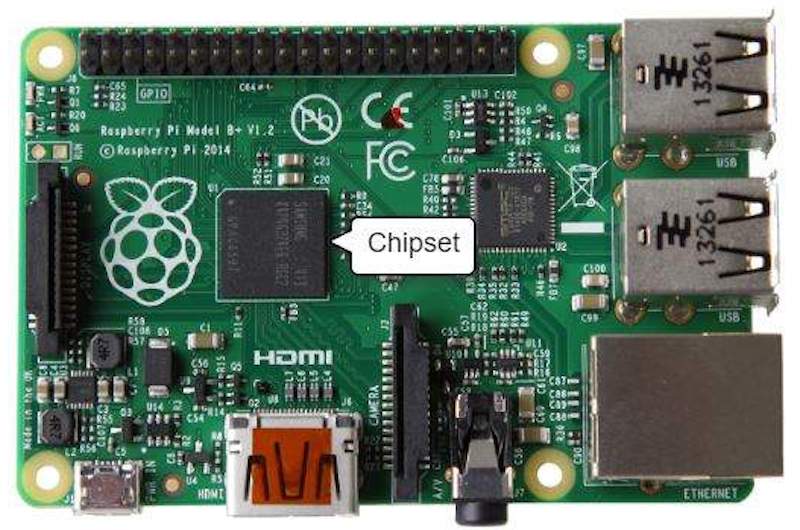
The motherboard’s video card and Central Processing Unit are contained in an integrated (built-in) chipset, shown in the picture below:
This is where input/output devices such as a keyboard, mouse, and speakers get plugged in.
2. Central Processing Unit (CPU)
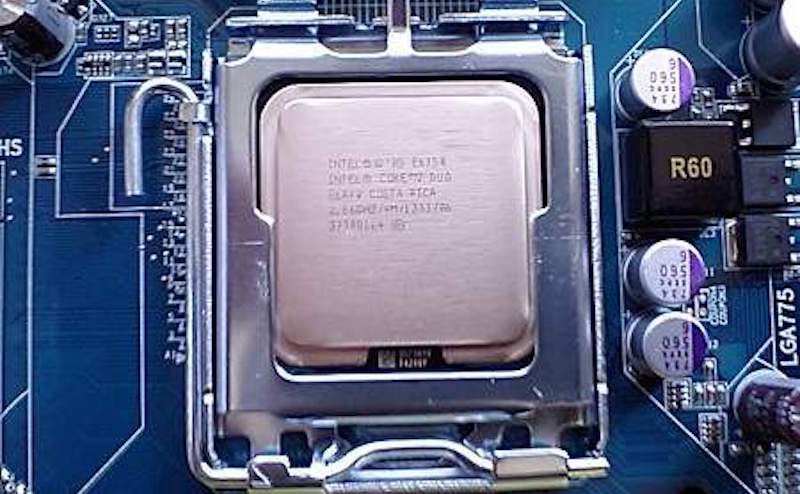
What it is: The CPU is often called the "brain" of a computer, thanks to its direct plug connection to the motherboard, and communication with all of the computer’s other components.
What it does: Whenever you write a line of code (in Python, Java, C++, or any other programming language), it's broken down into assembly language—which is a language that the processor can understand. It fetches, decodes, and executes these instructions.
And that’s where the CPU comes in—all the processes a computer handles are taken care of by the CPU.
3. Graphics Processing Unit (GPU)
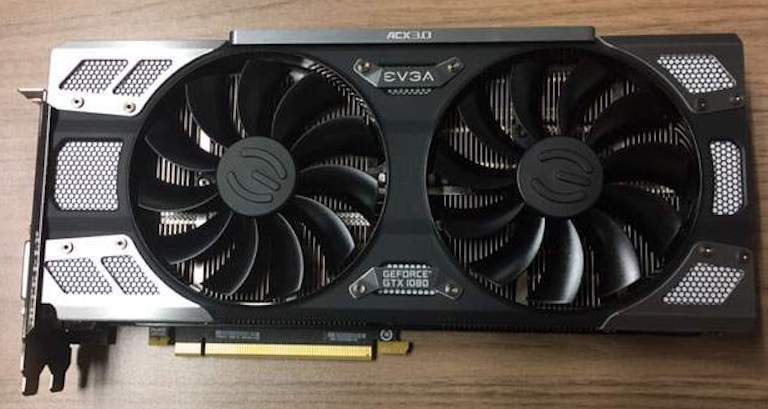
What it is: It's not uncommon to hear gamers obsess over the next new graphics card, as these graphic cards make it possible for computers to generate high-end visuals like those found in the many different types of video games.
In addition to video games, though, good graphics cards also come in handy for those who rely on images in order to execute their craft, like 3D modelers using resource-intensive software.
What it does: Graphics cards often communicate directly with the display monitor, meaning a high-end graphics card may not provide its full benefit if there isn't a capable high-resolution, high-refresh monitor connected to it.
4. Random Access Memory (RAM)
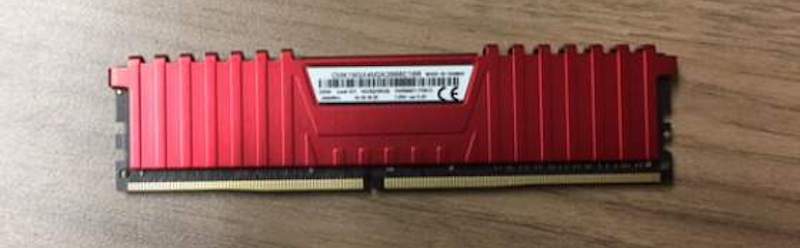
What it is: RAM, also known as volatile memory, stores data regarding frequently accessed programs and processes. (It's called volatile memory because it gets erased every time the computer restarts.)
What it does: RAM helps programs and games start up and close quickly.
5. Storage
What it is: All computers need somewhere to store their data. Modern computers either use a Hard Disk Drive (HDD) or Solid State Drive (SSD).
HDDs use a spinning magnetic disk read by a mechanical arm to store data. They remain a cost-effective option for large-capacity storage and are still widely used in desktops and external drives.
SSDs store data on flash memory chips (similar in concept to a USB thumb drive) with no moving parts, making them significantly faster and more durable.
Many modern PCs use NVMe SSDs, which connect directly to the motherboard via PCIe for even greater speeds. Budget laptops and tablets sometimes use eMMC storage, a slower flash option built directly onto the board.
Fun, right?
Some enjoy computers from the frontend, spending time on YouTube, shopping on eBay, and playing video games (and experiencing the benefits of doing so.).
But for others, it’s the “how” that proves to be more intriguing! Taking computers apart and putting them back together, adding new hardware, troubleshooting hardware assembly, and booting them up (and crossing their fingers!) is all part of such intrigue.
Does the latter sound like your child?
Our “build your own laptop” courses offer introductions to hardware, engineering, and coding, offering students the opportunity to assemble laptops, code with Python to create games, and use the Linux OS. All of this also improves soft skills like project-planning and hands-on coordination!
To learn more, check out our Python Coding Summer Camp (for Machine Learning; ages 13-17)
Outside of summer, kids can still get hands-on with coding and a micro:bit board in online private lessons (micro:bit Included), working with JavaScript or visual coding to turn on lights and power different components.
Check out our many different online coding courses for kids and teens.


