
Teaching children to code has never been more accessible. In fact, there might be too many options!
Whether your child is just discovering programming or ready to dive deeper into real coding languages, these six coding apps for kids make learning computer science fun, engaging, and age-appropriate.
Why these coding apps? Each app uses game-based learning to build critical thinking skills while keeping kids entertained and motivated. They are also some of the highest-rated apps available in the Apple App Store.
| App Name | Rating | Ages | Free Trial | Key Feature |
|---|---|---|---|---|
| codeSpark Academy Kids Coding | 4.3★ (3.4K) | 4+ | 7 Days | Word-free interface, MIT/Carnegie Mellon curriculum |
| Tynker: Coding for Kids | 4.6★ (18K) | 5+ | 7 Days | 200+ tutorials, Minecraft mods, drone programming |
| Coding for Kids: Learn to Code | 4.4★ (4.3K) | 4+ | 2 Weeks | 1000+ levels, real-world scenarios |
| Kodable Basics | 4.7★ (2.2K) | K-5 | 7 Days | Block-based to real JavaScript transition |
| Hopscotch-Programming for Kids | 4.5★ (15K) | 5+ | 7 Days | Create & share games, 36M+ projects to remix |
| ScratchJr | 4.0★ (1.6K) | 5-7 | Free | Visual block-based, MIT Media Lab |
1. codeSpark Academy Kids Coding
⭐ 4.3 (3.4K ratings) • Ages 4+ | 7-Day Free Trial | Developer: Homer
What is it that makes coding difficult for kids? Text and rules. Well, while the rules are mandatory, text can easily be swapped out for a much more engaging interface (see Scratch and why block coding for kids is so popular).
This award-winning app is perfect for the youngest learners, allowing even pre-readers to dive into coding concepts. The codeSpark Academy app teaches fundamental computer science principles through puzzles, games, and creative projects developed in partnership with MIT and Carnegie Mellon. Kids can build interactive stories and arcade games while learning sequencing, loops, conditionals, and debugging in a safe, moderated community.
Key Features:
- Word-free interface perfect for pre-readers
- Create interactive stories and arcade games
- Teaches sequencing, loops, conditionals, and debugging
- Kid-safe moderated community
- Curriculum developed with MIT and Carnegie Mellon
What I Personally Love:
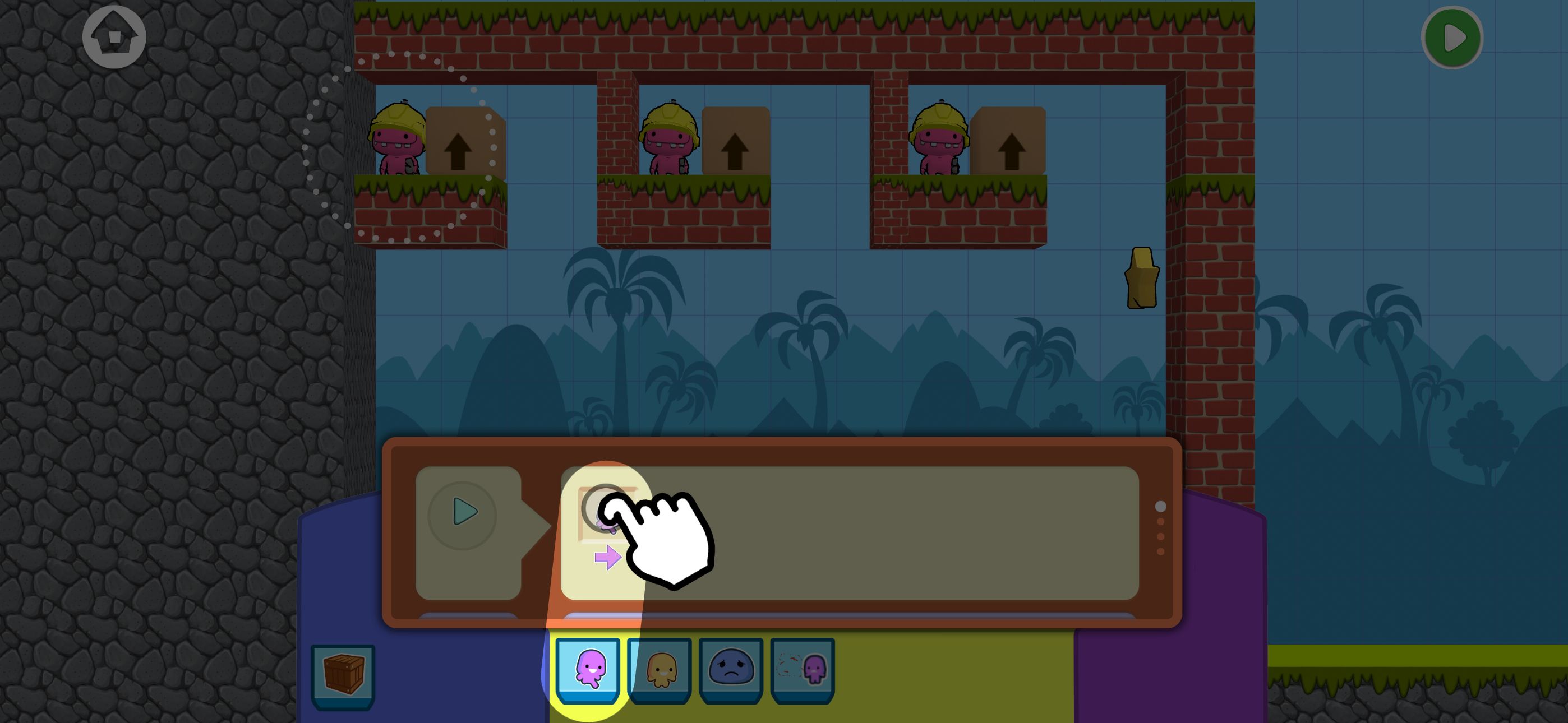
Some apps are "plug and play" in the sense that you download the app, create an account, and then jump into coding. What I really like about the codeSpark app is the hand-holding. Especially when it comes to coding for kids - as something brand new and potentially challenging - some young learners need to be able to connect the dots before they can get into the learning experience.
This app not only allows kids to play the very games they'll be creating (before being asked to code anything), but there is ample instruction—do this, click here, etc. I like that and I think kids will too.
2. Tynker: Coding for Kids
⭐ 4.6 (18K ratings) | Ages 5+ | 7-Day Free Trial | Developer: Tynker
I'm not going to say the most popular is always best, but with over 100 million children using Tynker worldwide, how can you not give it a try?
This leading coding platform offers an incredible range of learning opportunities. Kids can progress through 200+ starter tutorials and games, design custom Minecraft mods, program drones and robots, and even code with Barbie while exploring STEM careers.
Used in 150,000+ schools globally, Tynker provides both casual learners and serious young programmers with engaging content.
Key Features:
- 200+ starter coding tutorials and games
- Design and mod Minecraft skins, items, and mobs
- Program drones and robots
- Code with Barbie and explore STEM careers
- Used in 150,000+ schools globally
What I Personally Love:
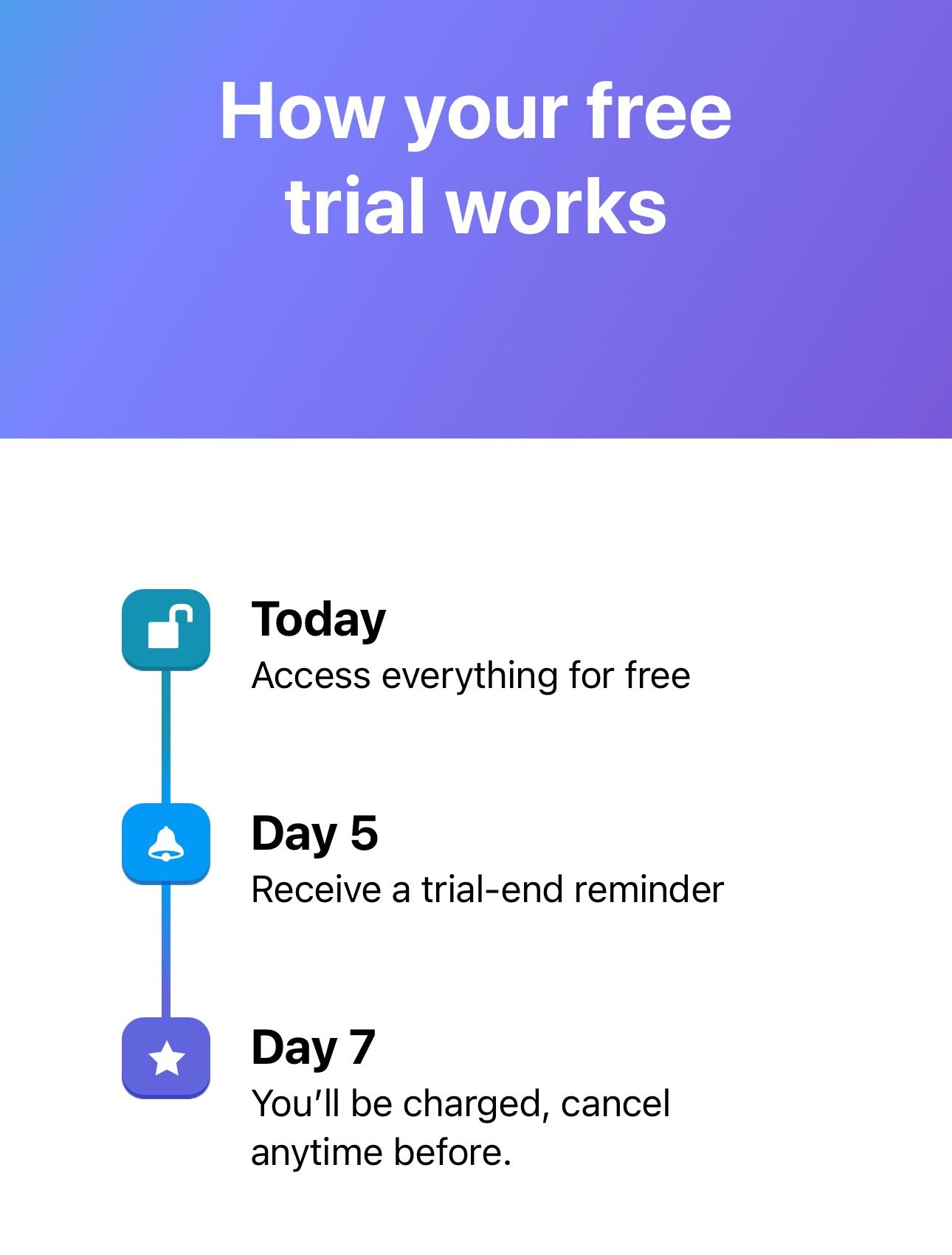
Look, you can clearly see this is a preferred coding app for kids. What I appreciate as a parent, though, is the transparency. Think about how many "free trials" you've experienced that were neither "free" nor really a "trial" and then ultimately forgotten about and charged for?
Tynker allows full and free access for 7 days complete with a reminder on day 5.
3. Coding for Kids: Learn to Code
⭐ 4.4 (4.3K ratings) | Ages 4+ | 2-Week Free Trial | Developer: KidloLand Kids & Toddler Games
I'm a strong believer in kids learn more when they are able to connect learning to either something they love or something they know. Through fun scenarios like firefighting and dentistry, children absorb lessons about sequences, loops, functions, debugging, and arrays while developing problem-solving and logical thinking skills. Coding concepts are transformed into 1000+ levels of engaging gameplay where kids don't even realize they're learning.
Key Features:
- 1000+ levels teaching coding fundamentals
- Games disguised as fun activities like firefighting and dentistry
- Learn sequences, loops, functions, debugging, and arrays
- Improves problem-solving and logical thinking
- Award-winning: NAPPA, Academics' Choice, Mom's Choice Gold
What I Personally Love:
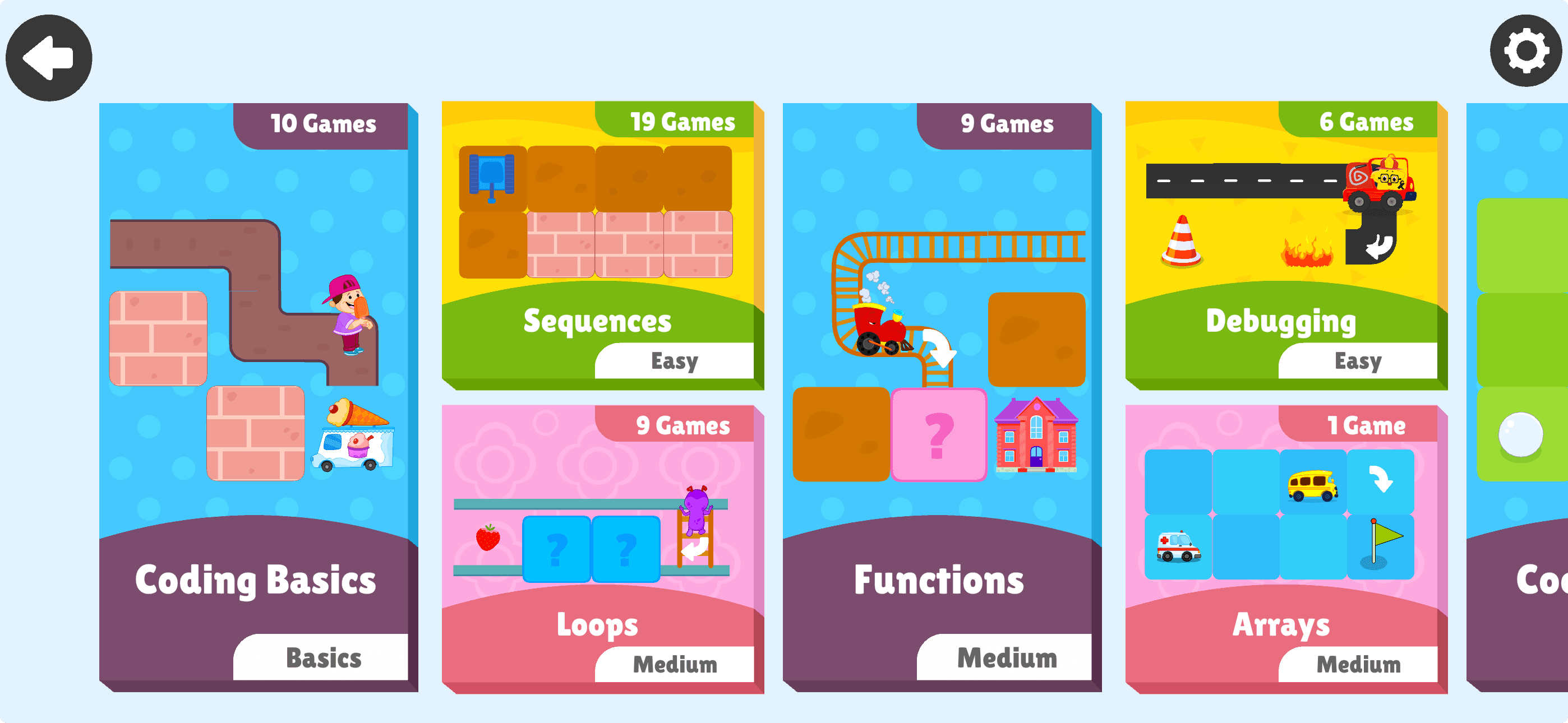
Sometimes it takes seemingly forever to get started on apps like these, between creating an account, linking accounts, etc. But this? Just a few seconds. And that's with a very informative video about how the app works to kick things off (which can be skipped if you'd like) and a quick questionnaire about your child's skill level and learning habits.
After that, you're right into the games:
4. Kodable Basics
⭐ 4.7 (2.2K ratings) | Ages K-5 | 7-Day Free Trial | Developer: SurfScore, Inc
Kodable Basics is the choice of over 50% of US elementary schools, offering a proven approach to teaching coding through self-paced, game-based learning. The app uniquely transitions students from block-based coding to real JavaScript, developing critical thinking and problem-solving skills aligned with Common Core and CSTA standards. Teachers appreciate the 80+ scripted lesson plans included with the curriculum.
Key Features:
- Transition from block-based to real JavaScript coding
- Age-appropriate games for K-5 students
- Learn sequences, conditionals, variables, and object-oriented programming
- Includes 80+ scripted lesson plans for teachers
- Common Core and CSTA standards-aligned curriculum
What I Personally Love:
When it comes to learning games, I want to be able to have my child problem-solve on their own. That not only includes trying to solve the puzzles in front of them, but also utilizing the resources available that are there to assist them in solving the puzzles in front of them.
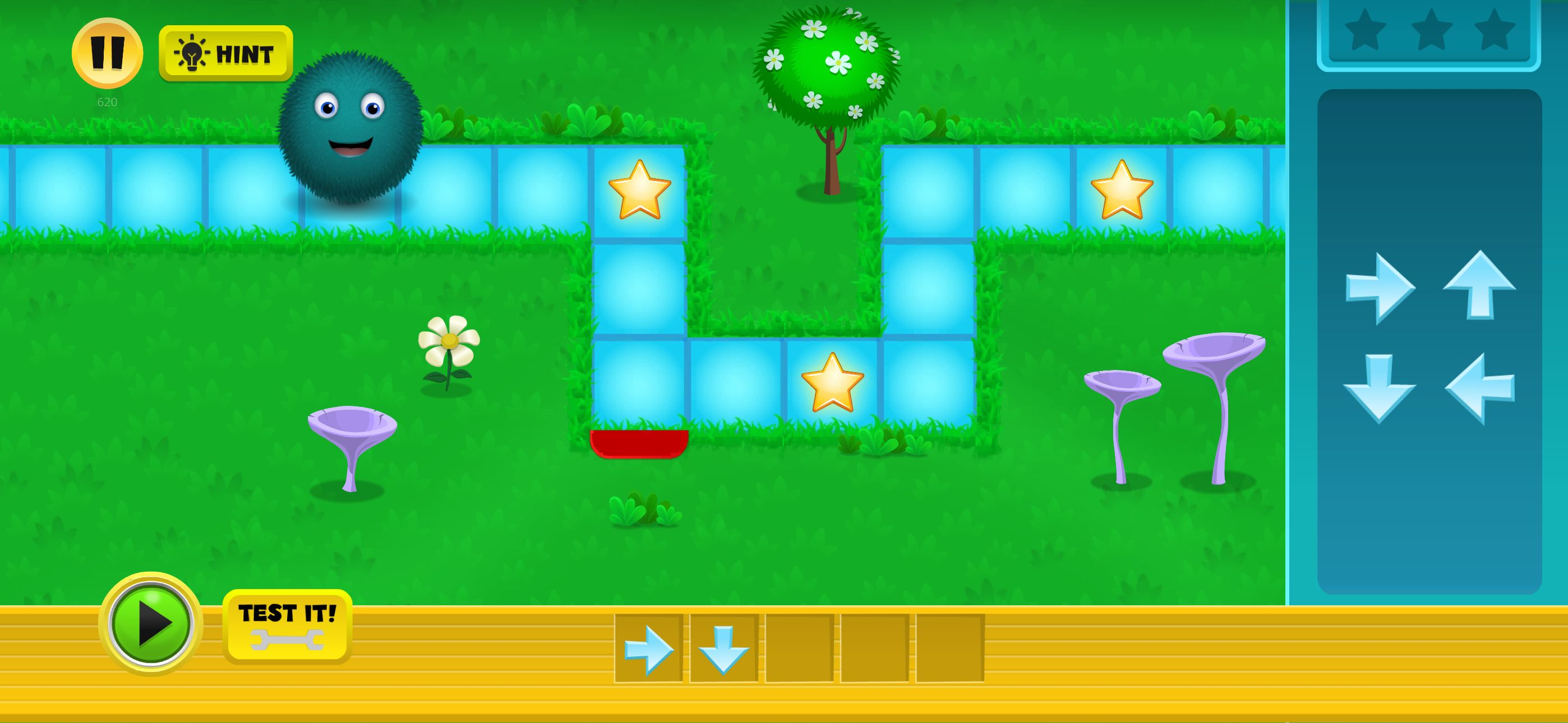
With Kodable, there are two ways around being "stuck." One, kids can utilize the "hint" button to get an obvious nudge in the right direction. But what I like even more is, for those who don't want to be given the right answer, the visual feedback a child can see when their fuzzy kodable hits a roadblock (see the blinking red in the shot below):
5. Hopscotch-Programming for Kids
⭐ 4.5 (15K ratings) | Ages 5+ | 7-Day Free Trial | Developer: Hopscotch Technologies
Featured by Apple and downloaded over 24 million times, Hopscotch empowers kids to create and share their own games using intuitive block-based coding. With 36 million games already created by kids worldwide, the app offers endless inspiration through remixing others' projects while learning from video tutorials that teach how to make games like Crossy Road and Pokémon GO. The fully moderated community ensures safe sharing, and the app is used on 44% of school iPads in the US.
Key Features:
- Create games, art, and interactive stories
- Play and remix millions of projects from other kids
- Video tutorials teach you to make Crossy Road and Pokémon GO
- Fully moderated community for safe sharing
- Used on 44% of school iPads in the US
What I Personally Love:
Many of the coding apps you'll come across are kind of, sort of feel the same. It's not a bad thing, because as you can see, they are really good at engaging the younger child with coding education. But sometimes, and especially for older beginners, they don't want a "game" but rather a more freestyled experience. That's what I feel is the value of an app like Hopscotch. It's not just solve the problem, it's create your own story or game.
6. ScratchJr
⭐ 4.0 (1.6K ratings) | Ages 5-7 | Free | Developer: Scratch Foundation, Inc.
Developed by MIT Media Lab, ScratchJr introduces the youngest coders to programming through a visual, block-based approach that feels like play. Kids snap together graphical programming blocks to make characters move, jump, dance, and sing while creating interactive stories and animations. The app supports early numeracy and literacy development alongside coding fundamentals, making it ideal for kindergarten and first-grade learners.
Key Features:
- Snap together graphical programming blocks
- Make characters move, jump, dance, and sing
- Create interactive stories and animations
- Develop problem-solving and creative expression
- Supports early numeracy and literacy development
What I Personally Love:
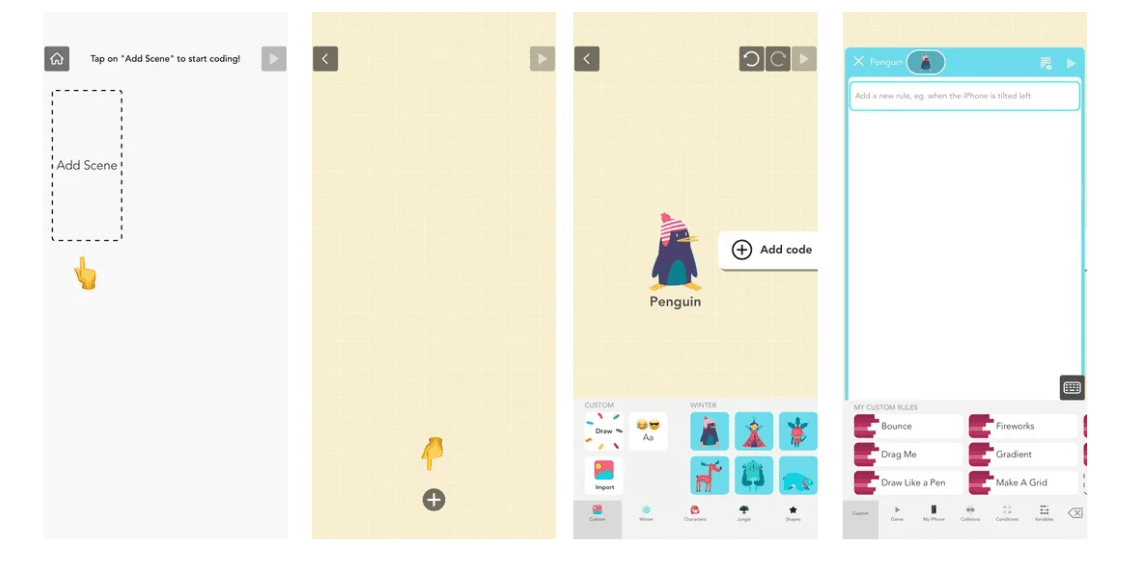
Jump right in! Two clicks, you're off to the coding races. No account creation, no explainers. Just a blank Scratch template which is great for those who are already familiar with the popular platform.
Moving Forward
Choosing the right coding app for your child is really about understanding where they are in their learning journey and what kind of experience will keep them engaged. The beauty of these apps is that they've all cracked the code (pun intended) on making programming accessible, fun, and age-appropriate—removing the intimidation factor that often keeps kids from even trying.
If your child falls in love with coding through any of these apps, the next natural step is to deepen their skills in a more immersive environment. Coding 101 Camp builds directly on the visual coding foundations these apps introduce, allowing kids to work with Scratch at a deeper level while exploring robotics concepts.
And if your child becomes particularly passionate about game creation (especially after exploring Tynker's Minecraft modding features) Minecraft Game Design Camp takes that interest and transforms it into learning real game design principles.
Either way, you're giving your child the gift of digital literacy and creative problem-solving skills that will serve them well far beyond their childhood years.


